SEO Optimization for Pack Storefronts
Search Engine Optimization (SEO) is crucial for improving your storefront's visibility on search engines, driving organic traffic, and ultimately increasing sales. Effective SEO ensures that your content ranks higher in search results, making it easier for potential customers to find your products and services.
Managing Storefront SEO Settings
To manage the SEO settings for your entire storefront:
- Navigate to Pack Admin and click Settings > Site settings. Scroll down to Search engine optimization and make the desired changes to your SEO there.
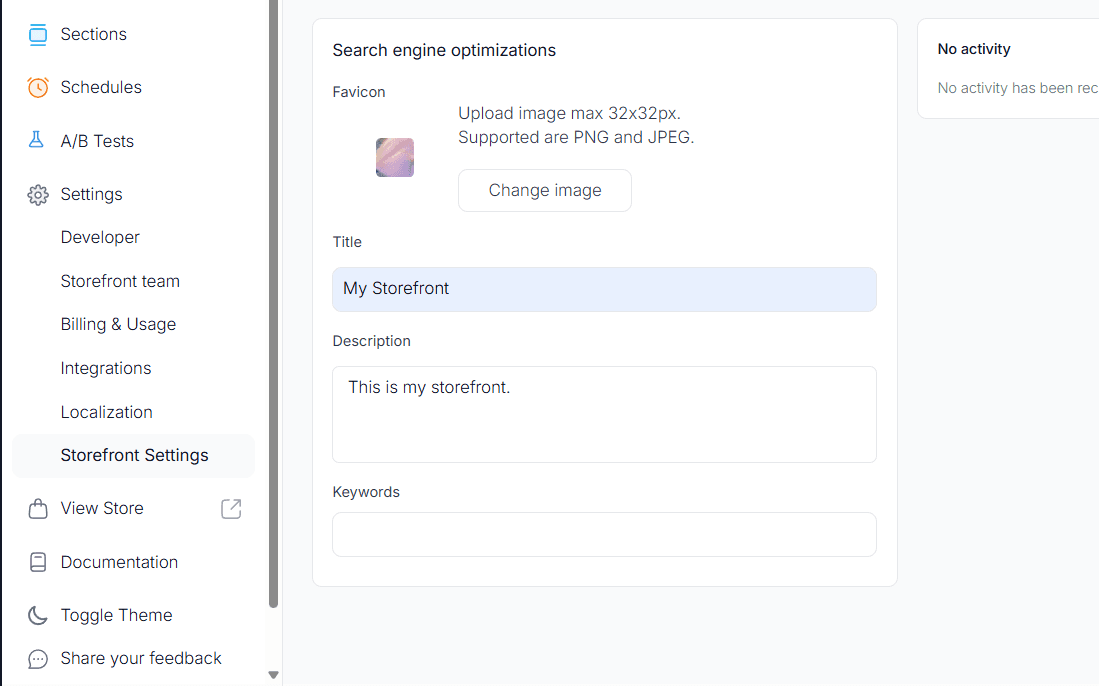
- Once done, scroll back up, and click Save.
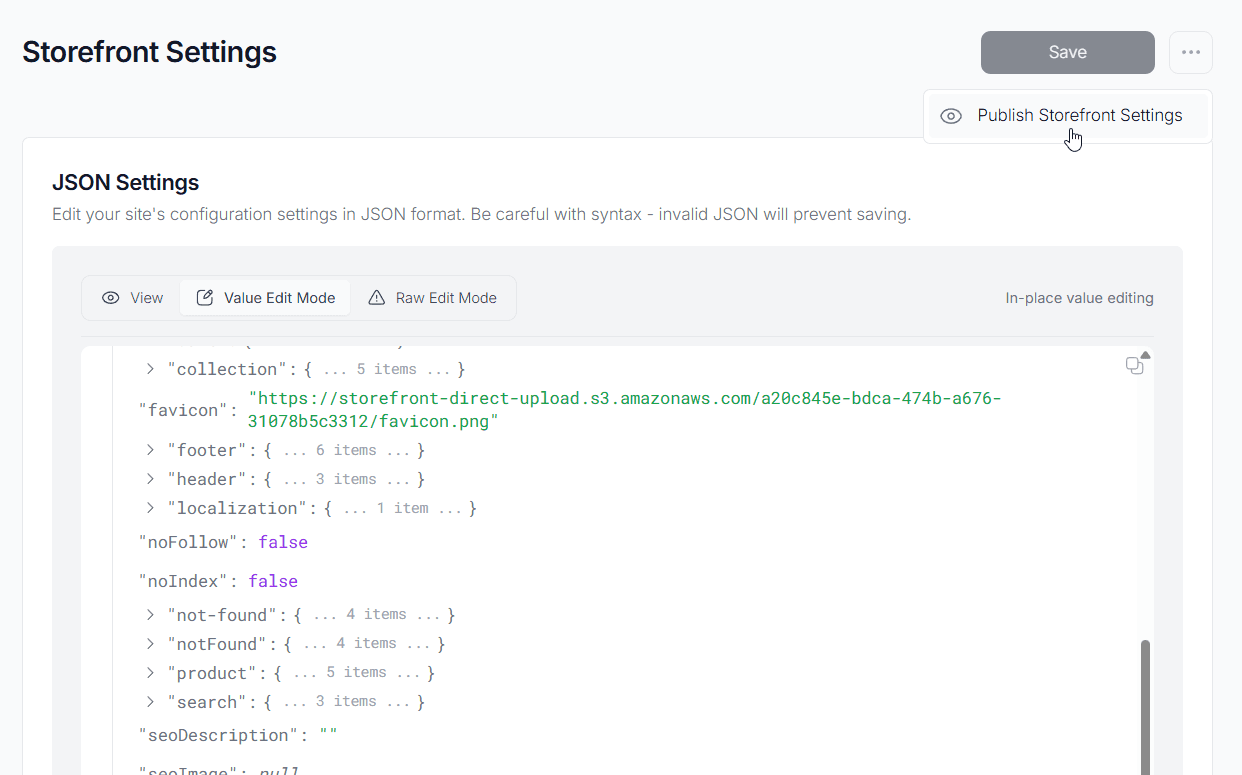
- To publish the changes live to your site, click the three dots next to the Save button and choose Publish site settings to apply the changes.
Managing Page, Article, and Blog SEO Settings
For optimizing SEO on specific pages, articles, or blog posts:
- Navigate to Pack Admin and select Pages or Articles.
- Navigate to the particular page, article, or blog you want to optimize.
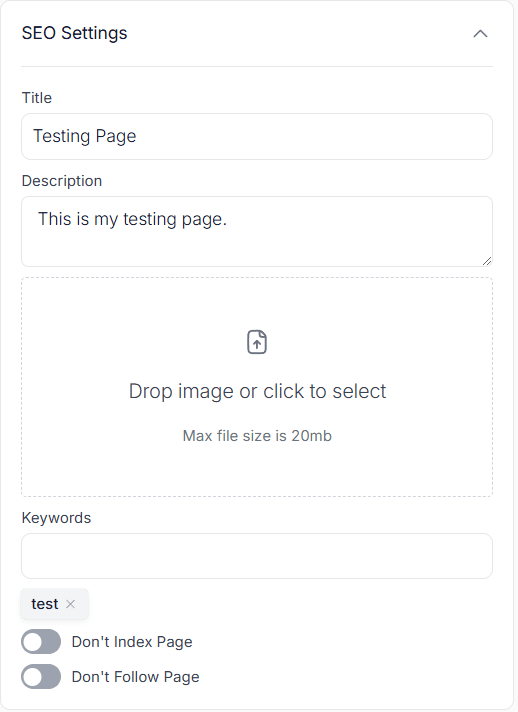
- On the right side of the page, you will find the SEO settings section where you can modify meta titles, descriptions, keywords, and other relevant SEO parameters.
Managing Product Page and Collection SEO Settings
To optimize SEO for your product pages and collections:
- Navigate to Pack Admin.
- Navigate to Products or Collections depending on what you wish to edit.
- Click on the desired product or collection to view the current SEO settings. This is read only.
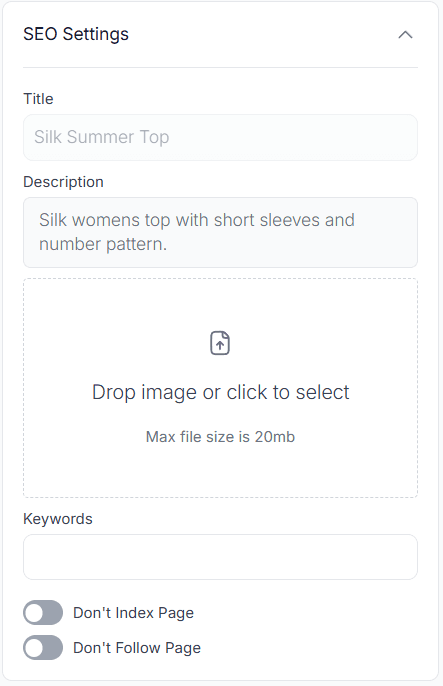
- Click the three dots next to the product or collection and select View in Shopify admin to edit the SEO settings in Shopify.
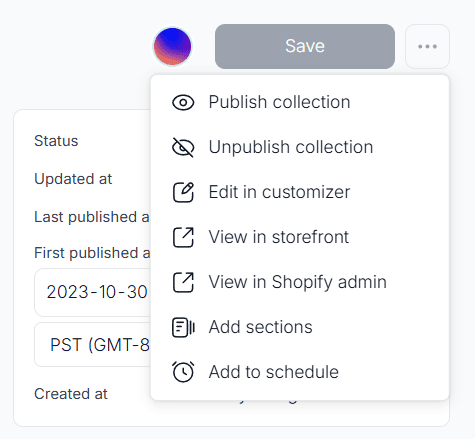
Search indexing for products and collections
Product and collection pages have two Pack-only settings under Pack settings in the SEO card:
- Don't Index Page (
noIndex) asks search engines not to index the page, so it won't appear in search results. - Don't Follow Page (
noFollow) asks search engines not to follow links on the page.
Shopify has its own way to hide a product or collection from search: the seo.hidden metafield. Pack reads that metafield and shows it next to the Pack settings under Search indexing:
- Hidden means the page is set to no-index, because either Don't Index Page is on in Pack or
seo.hiddenis on in Shopify. - Visible means neither is on.
- Unverified means Pack couldn't read the Shopify value. Click Retry or Refresh to check again.
The Shopify metafield row shows the current seo.hidden value. Pack expects an integer of 0 or 1 and shows Needs attention if it finds anything else. The value is read-only in Pack. Click Open in Shopify to change it in Shopify Admin.
Pack's Don't Index Page toggle and Shopify's seo.hidden metafield are
separate. Turning one on doesn't change the other. Whether each one adds a
noindex tag to the page depends on your storefront's SEO code. See
Customizing the behavior of SEO settings in
Blueprint.
Customizing the behavior of SEO settings in Blueprint
You can customize the behavior of SEO settings, such as page titles and descriptions, by modifying the app/lib/seo.server.ts file.
For more information, check out our SEO and Meta Tags documentation.